
 Join our Discord
# AF Combat Log
Combat log detection script for RedM.
## What It Does
When a player disconnects from the server:
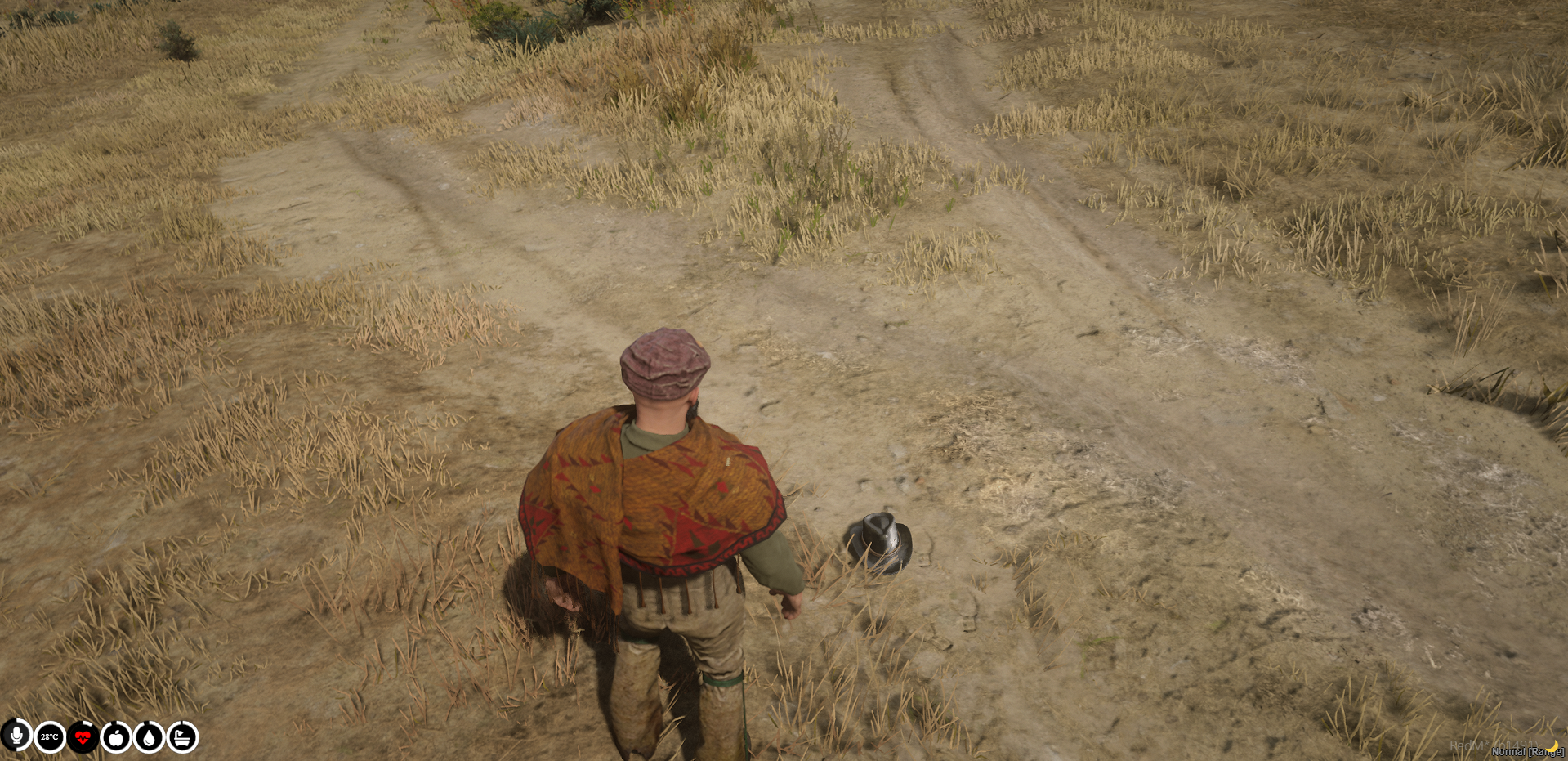
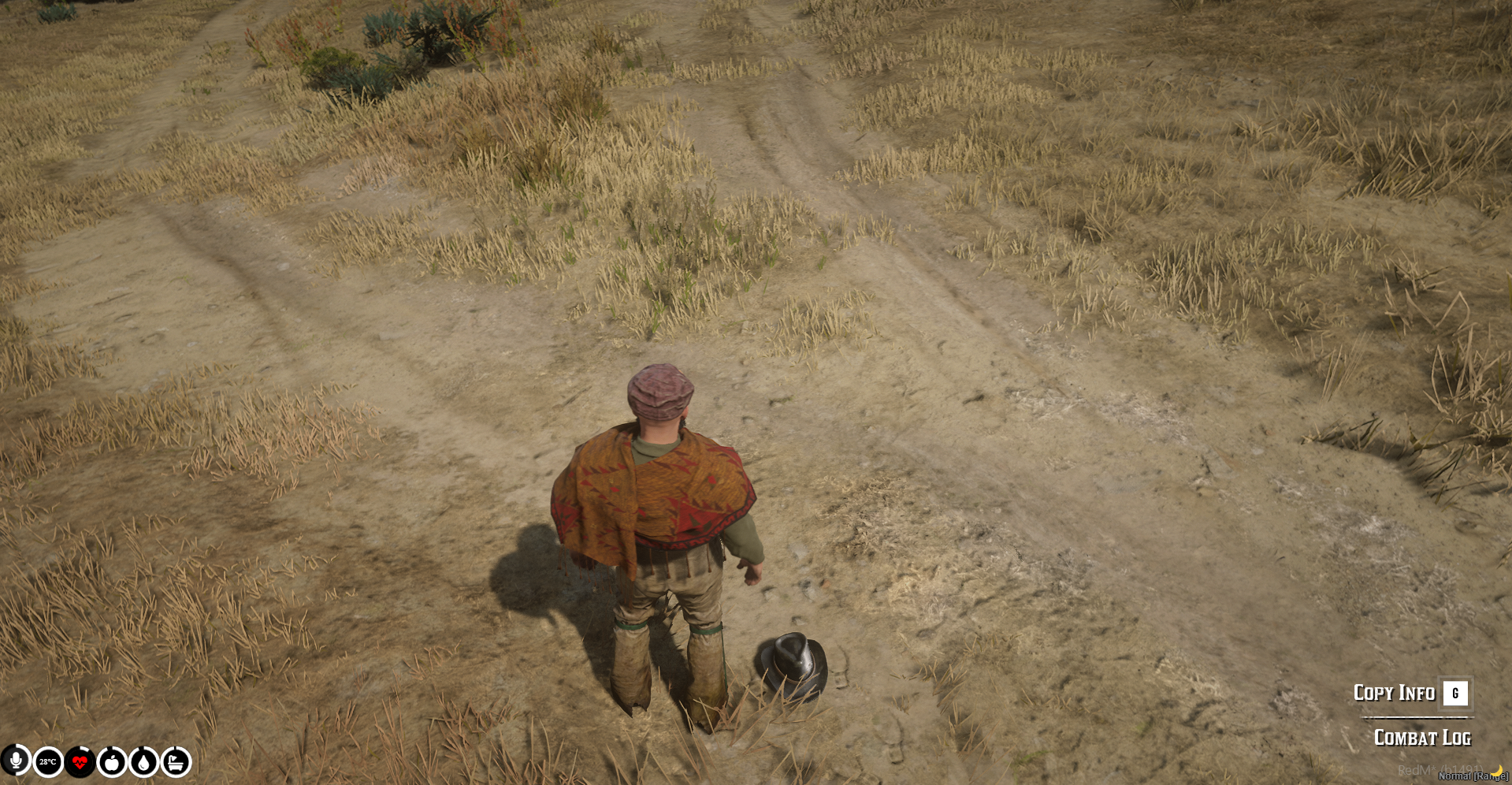
1. A hat prop spawns at the player's last location
2. The prop glows with RDR-style pickup light effect
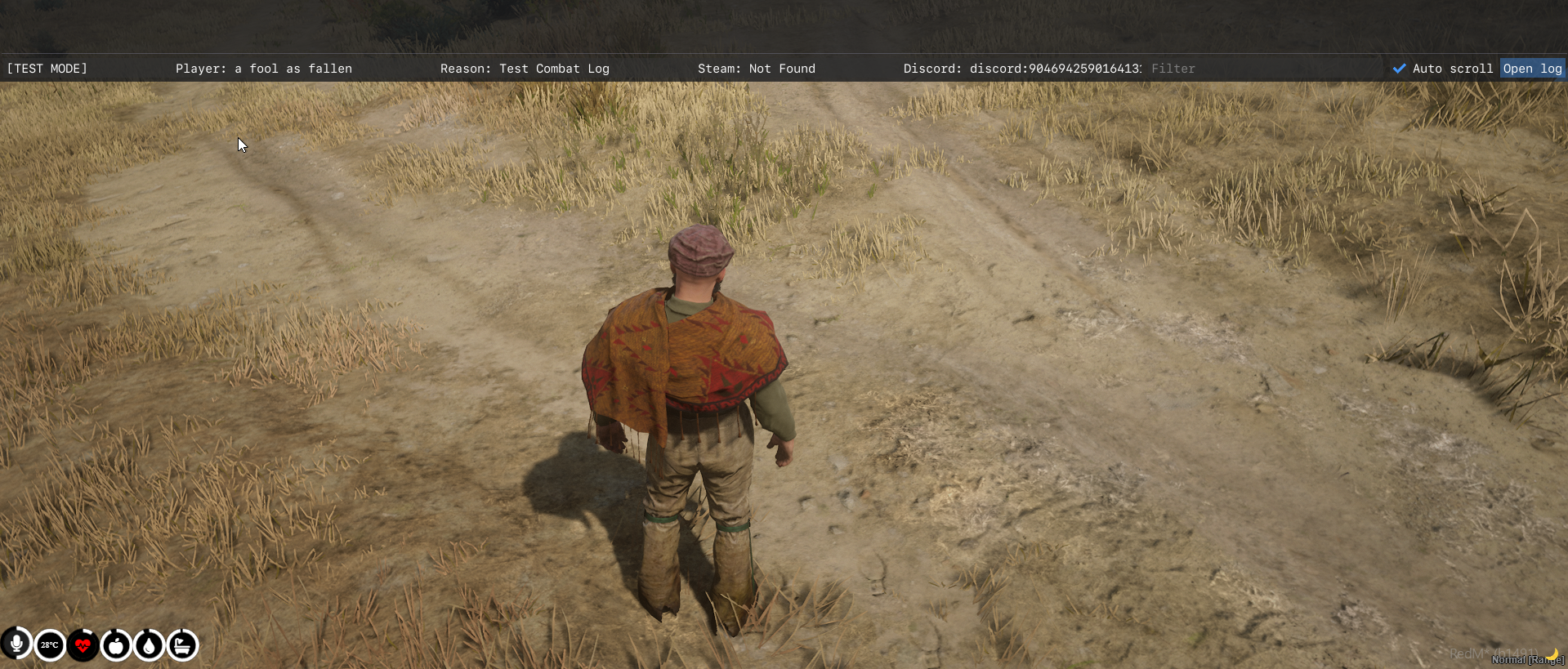
3. Other players can hold [G] near the prop to copy player info to clipboard
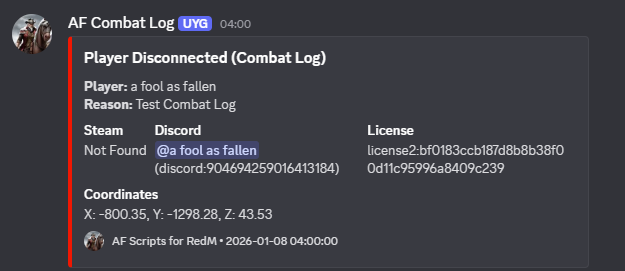
4. Info is also automatically sent to Discord webhook
## Copied Information
- Player name
- Disconnect reason
- Steam ID
- Discord ID
- License
- Last coordinates
## Installation
1. Put in your `resources` folder
2. Add `ensure af-combatlog` to `server.cfg`
3. Set your Discord webhook URL in `config.lua`
## Settings
- `Config.ExposedTime` - How long the prop stays visible (seconds)
- `Config.Prop` - Prop model to spawn
- `Config.EnableHighlight` - Pickup light effect
- `Config.Distance` - Interaction distance
- `Config.Webhook` - Discord webhook URL
## FAQ
**Does it work with VORP/RSG?**
Yes, it's standalone and works with any framework.
**Can I change the prop model?**
Yes, edit `Config.Prop` in config.lua.
**How do I test it?**
Set `Config.Debug = true` and use `/testcombat` command in-game.
## Support
Join our Discord for support: https://discord.com/invite/jJh2BJYkkU